|
Audit Report
|   |
|
Audit Report
| |
Click on Audit Report
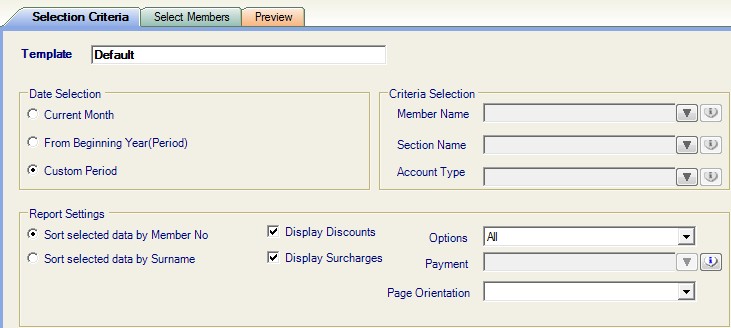
Select the criteria for the Audit report.
Date selection = chose the date you wish to view the information for
Custom Period = enter your own start and end period at the top of the screen
From Beginning Year (period) = from the beginning of the sub year
Leaving Criteria Selection boxes blank will include all members
Report Settings will sort the report by number or surname
Click on view report 
To zoom report click on

Click on zoom or increase percentage
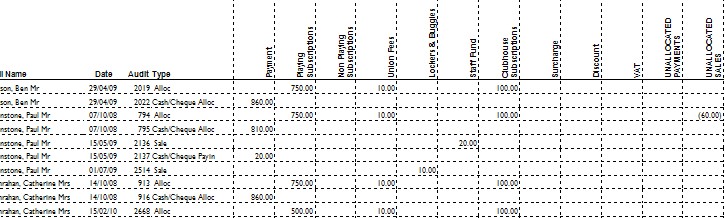
This report will show payments received and how the money has been allocated for the period selected.
Unallocated payments / sales = payments / sales have been made but not allocated.
See Understanding ClubMinder Accounts